
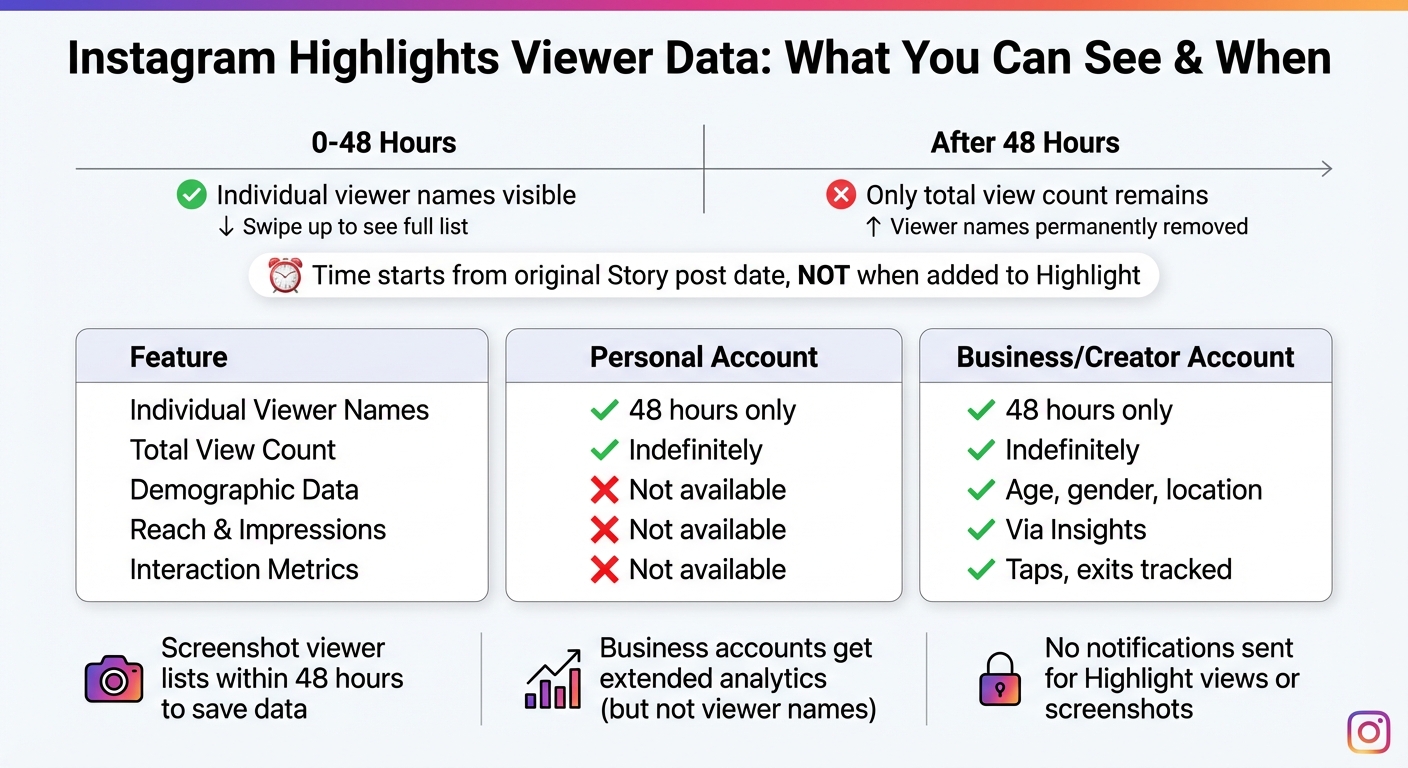
Short answer: You can only see who views your Instagram Highlights for 48 hours after the original Story is posted. After that, Instagram removes the viewer list, leaving only the total view count. Viewer tracking is tied to the Story's original posting time, not when it’s added to a Highlight.
Key points:
- Viewer names are visible for 48 hours after the Story's original post date.
- After 48 hours, only the total view count remains.
- Business and Creator accounts offer additional metrics like reach, impressions, and demographics, but individual viewer names are still limited to the same timeframe.
- Instagram does not notify you of Highlight views or screenshots.
To save viewer data, screenshot the list or log names manually within the 48-hour window. For deeper analytics and long-term tracking, tools like Instagram Insights or third-party platforms can provide additional metrics, though they can’t retrieve expired viewer names.
How to See Who Viewed Your Instagram Highlights? (Full Guide 2026)
How Instagram Highlights Viewer Data Works in 2026
Instagram Highlights Viewer Data: 48-Hour Timeline and Account Type Comparison
What Are Instagram Highlights and How Do They Differ from Stories?
Instagram Highlights are curated collections of Stories that stay on your profile permanently, right under your bio. Unlike regular Stories that vanish after 24 hours, Highlights stick around until you decide to remove them. You can group up to 100 photos or videos into a single Highlight to showcase important content.
The main difference between Stories and Highlights is their lifespan. Stories are meant for quick, temporary updates, while Highlights serve as a more permanent showcase. However, when it comes to analytics, Highlights follow the same rules as Stories.
"Instagram Highlights might look like permanent Stories, but when it comes to viewer details, they still follow the same 48-hour rule." - Himanshu Rawat, Outfy
Time Limits on Viewer Tracking
Instagram lets you see individual viewer names for 48 hours after the original Story is posted. Once that window closes, only the total view count remains visible. This time frame is tied to when the Story was first published, not when it was added to a Highlight.
"The view count and viewer list are tied to the original Story's timeline, not to when you created the Highlight." - Abdullah Mansoor, ContentStudio
If you add an archived Story to a Highlight after the 48-hour window has passed, you won’t be able to see the names of viewers. To check current viewers within the active window, simply open the Highlight and swipe up or tap the "Activity" icon in the bottom-left corner.
Next, let’s explore how different account types affect access to viewer data.
How Account Type Affects Viewer Data Access
Viewer names are available for 48 hours across all account types. However, Business and Creator accounts have access to Instagram Insights, which provides more detailed metrics like reach, impressions, and demographic information once individual viewer names are no longer visible.
Here’s a comparison of key features across account types:
| Feature | Personal Account | Business/Creator Account |
|---|---|---|
| Individual Viewer Names | Visible for 48 hours only | Visible for 48 hours only |
| Total View Count | Visible indefinitely | Visible indefinitely |
| Demographic Data | Not available | Age, gender, and location available |
| Reach & Impressions | Not available | Available via Insights |
| Interaction Metrics | Not available | Taps forward, back, and exits tracked |
Personal accounts can be set to private, restricting Highlight visibility to approved followers. On the other hand, Business and Creator accounts are typically public to maximize reach and engagement. These professional accounts also benefit from advanced analytics, such as profile visits, link clicks, and follower growth tied to specific Highlights.
Why Instagram Limits Long-Term Viewer Data
Privacy and User Experience Reasons
Instagram enforces a 48-hour viewer limit to balance providing creators with insights while respecting user privacy. This time frame aligns with the temporary nature of Stories, even when they are saved as Highlights. By making views anonymous after 48 hours, Instagram reduces the pressure users might feel about being tracked when they revisit older content.
Keeping viewer identities indefinitely would also create significant technical challenges. The immense amount of data storage and server resources required would be impractical. After the 48-hour window, Instagram shifts from showing individual viewer names to displaying only the total view count.
"Instagram limits viewer visibility mainly for privacy reasons and to keep the behaviour of Highlights consistent with regular Stories." - TechSimplify
These measures, designed to enhance privacy, have led to some common misconceptions about how Highlight viewer data works.
Common Myths About Highlight Viewer Data
One widespread myth is that third-party apps can recover viewer data after the 48-hour window closes. In reality, Instagram's API blocks access to expired data, and using these apps could expose users to credential theft risks.
Another misconception is about how the viewer list is organized. It’s sorted by recency, not by how frequently someone visits a Highlight. Additionally, Instagram does not notify creators when someone takes a screenshot of a Highlight. Screenshot notifications are limited to disappearing photos or videos sent through Direct Messages in Vanish Mode.
Some users believe that adding an old Story to a new Highlight resets its 48-hour tracking period, but this isn’t true. Similarly, switching to a Business or Creator account doesn’t grant extended access to individual viewer data. These account types only provide aggregate data while adhering to the same 48-hour limit.
How to Track Highlight Engagement in 2026
Using Instagram Insights to Measure Performance
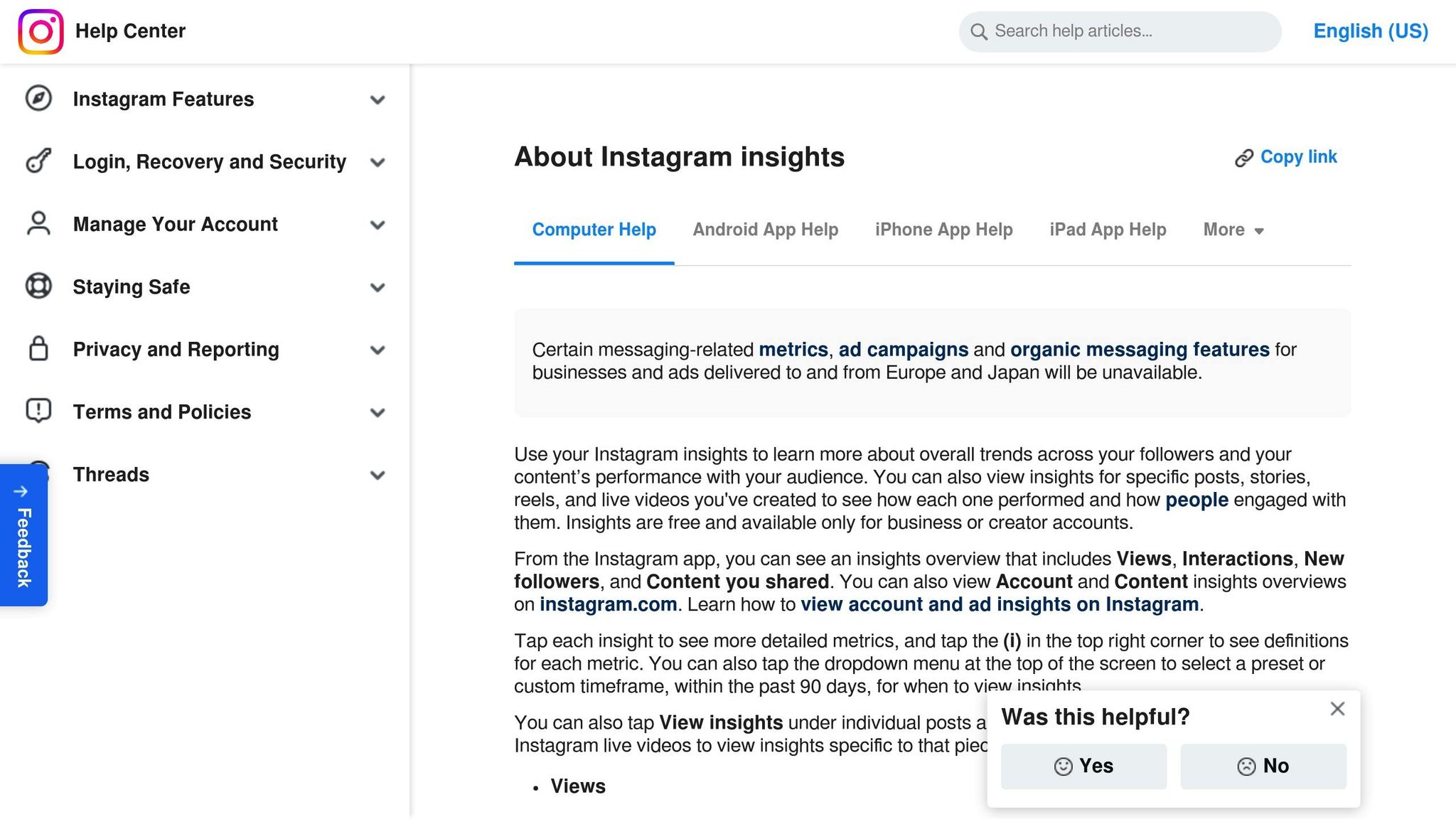
Instagram Insights is a built-in tool for Business and Creator accounts, offering free access to performance data. You can find it in your Professional Dashboard or by selecting the Insights button on your profile page. To check the performance of a specific Highlight, open one of its Stories and swipe up to view the Activity or Insights section. Key metrics to focus on include:
- Views: Total plays of the Story.
- Accounts Reached: The number of unique viewers.
- Interactions: Engagements like likes, comments, saves, and shares.
You can analyze data for custom or preset timeframes within the past 90 days. Once your account surpasses 100 engaged users, Instagram unlocks audience demographic details, such as top cities, age ranges, and gender. Additionally, sticker interactions - like polls, questions, and links - offer insight into how actively your audience is engaging with your content. These metrics provide a solid foundation for understanding your Highlight performance.
Capturing Viewer Data Before It Expires
When you add an old Story to a Highlight, the 48-hour viewer data countdown does not reset. This means you’ll need to act quickly if you want to capture viewer information. One effective method is to take screenshots or manually log viewer names during this window. As the SocialRails Team explains:
"If you want to keep a record of who viewed your highlights, screenshot the viewer list within the 48‑hour window. Once that time passes, the data is gone forever." - SocialRails Team
Interactive stickers, such as polls, questions, and quizzes, are another way to gather engagement data. Even after the 48-hour viewer list disappears, responses to these stickers remain accessible, giving you another layer of valuable insights.
Tracking Links and Using Advanced Analytics
For more comprehensive tracking, advanced methods can help you go beyond basic metrics. Link stickers, for example, allow you to measure traffic directed from your Highlights to external sites. Adding UTM parameters to these links enables you to track the performance of individual Highlights more precisely.
Additionally, monitor replies and sticker interactions within Insights, as these records do not expire after the initial 48 hours. You can also use Instagram's "Download Your Information" tool in Settings to request a detailed account activity report, which may include Story engagement data. Metrics like Accounts Reached and overall Interactions, available in your Professional Dashboard, are critical for evaluating the long-term success of your Highlights.
For targeted sharing, consider using the Close Friends list to deliver content to a specific audience. By blending these techniques, you can retain and analyze valuable data from your Instagram Highlights, ensuring you don’t miss any opportunities to understand and grow your audience engagement.
How Outfame Can Improve Your Instagram Highlight Strategy
Outfame takes Instagram analytics to the next level, addressing the gaps in the platform's native tools by offering advanced tracking and growth solutions.
Getting Better Highlight Analytics with Outfame
Instagram’s built-in analytics only provide short-term insights, leaving you with limited data about your Highlights. Outfame changes the game by offering long-term performance tracking, extending far beyond the standard 48-hour window. Instead of relying on manual screenshots, Outfame provides centralized dashboards that track engagement over weeks and months, giving you a clearer picture of what works.
With real-time analytics, Outfame helps you pinpoint which Highlights are driving follower growth and how your audience interacts with your content over time. This means you can identify the topics, formats, or styles that resonate most with your audience and refine your strategy accordingly. If you manage multiple Instagram accounts, Outfame’s multi-account dashboard consolidates all your data in one place, making it easier to uncover trends and opportunities. Plus, its integration with AI-driven recommendations ensures your strategy evolves with your audience’s preferences.
Improving Highlight Performance with Outfame's AI Features
Outfame’s AI tools analyze how your audience engages with your Highlights and offer personalized suggestions to improve your content. The Outfame Max™ AI studies your top-performing Highlights and provides actionable recommendations to enhance reach and interaction. It even helps with profile optimization, ensuring your Highlights attract the right viewers.
The platform’s growth dashboards deliver insights you can act on immediately. For example, if the AI identifies specific posting times that generate higher engagement, it will highlight those patterns so you can schedule content more effectively. This automated analysis eliminates the need for time-consuming manual reviews and provides data-backed strategies that outperform guesswork.
Growing Your Instagram Audience with Outfame
Outfame doesn’t just stop at analytics - it actively helps grow your audience. By leveraging your Highlight data, the platform engages your target audience around the clock, all without requiring access to sensitive login information.
Outfame also offers a Growth-Guarantee: if you don’t see follower growth, you’ll get your money back. Plans start at $39/month, and new users can explore the platform risk-free with a free trial. With dedicated account management and live chat support, you’ll have expert guidance to refine your Highlight strategy and maximize its impact on your audience.
Highlights work harder when more of the right people visit your profile. Outfame's organic Instagram growth service engages the followers of accounts you pick so more of them find it.
Conclusion: What You Need to Know About Tracking Highlight Views
Instagram's 48-hour tracking window for individual viewer identities means you'll need to act fast to capture this data. If knowing exactly who viewed your content is important, make sure to gather that information within this limited timeframe.
For those with professional accounts, Instagram offers extended insights like reach, impressions, and demographic breakdowns that go beyond the 48-hour mark. While these don’t include individual viewer identities, they provide a broader view of how your Highlights are performing. This data is key to understanding engagement trends and refining your content strategy.
To maximize your Instagram growth, consider combining manual tracking methods with advanced tools. For example, screenshot viewer lists before they disappear or use interactive stickers to encourage engagement and gather data. Platforms like Outfame can also fill in the gaps, offering long-term performance tracking and AI-driven insights that Instagram's built-in analytics might overlook. These tools can help you interpret your data and develop strategies to grow your audience.
Instead of focusing on Instagram's limitations, use them as an opportunity. Capture time-sensitive data quickly, rely on trackable metrics, and enhance your strategy with advanced analytics tools. By merging prompt actions with platforms like Outfame, you can turn short-lived insights into meaningful, long-term audience growth.
FAQs
Can I see who viewed my Instagram Highlights after 48 hours?
No, you can’t see who viewed your Instagram Highlights after 48 hours. Instagram only lets you check the list of viewers within the first 48 hours of the original Story being posted. Once that time passes, the viewer list disappears, leaving you with just the total number of views.
This feature aligns with Instagram’s privacy settings, which aim to limit access to specific viewer details after a certain period.
What extra insights can Business accounts access for Instagram Highlights?
Business accounts on Instagram provide access to extra metrics for Highlights, giving you a clearer picture of how your content is performing and who’s engaging with it. These metrics include total Views, Accounts Reached, Interactions, and Accounts Engaged. If you’re running ads, you can also view details like cost-per-goal and budget performance.
This data can help you fine-tune your content strategy and better measure how your audience interacts with your posts.
How can I track engagement on Instagram Highlights after 48 hours?
Instagram only keeps the viewer list for a Story or Highlight available during the first 48 hours after it’s posted. Once that time passes, the list is gone for good. But don’t worry - there are other ways to keep tabs on your Highlight performance:
- View count: You can always see the total number of views on the Highlight thumbnail, giving you a quick idea of its reach.
- Instagram Insights: If you have a Business or Creator account, Insights offers detailed metrics like total views, reach, impressions, and demographic breakdowns. You can even export this data for deeper analysis.
- Interactive stickers: Features like polls, quizzes, or links in your original Stories collect engagement data (such as votes or clicks). These stats remain available in Insights even after the Story disappears.
Want to preserve specific viewer data? Just take a screenshot of the viewer list within the 48-hour window. By using these tools together, you can track engagement trends and refine your content strategy - even without access to the expired viewer list.


