
Your reach suddenly drops. Engagement plummets. New followers? Nonexistent. These are the red flags of an Instagram shadowban in 2026. While Instagram denies the term "shadowban", it does limit visibility for accounts flagged by its algorithm. This silent penalty hides your posts from non-followers, hashtag searches, and the Explore page - crippling growth for creators and businesses.
Key Takeaways:
- Signs of a Shadowban: Posts vanish from hashtag searches, sharp declines in reach (up to 99%), and fewer Story views.
- Common Triggers: Overusing banned hashtags, bot-like actions (e.g., automation tools), and violating Instagram’s guidelines.
- Recovery Steps: Pause activity for 48–72 hours, remove flagged hashtags, disconnect third-party apps, and report issues to Instagram.
- Prevention Tips: Use varied hashtags, avoid spammy behaviors, and check your Account Status regularly.
Shadowbans typically last 2–4 weeks, but swift action can shorten recovery time. Below, we’ll break down the causes, signs, and steps to regain visibility on Instagram.
How to Fix Instagram Shadowban FAST (Easy Method)
sbb-itb-3b12fba
What Is an Instagram Shadowban?
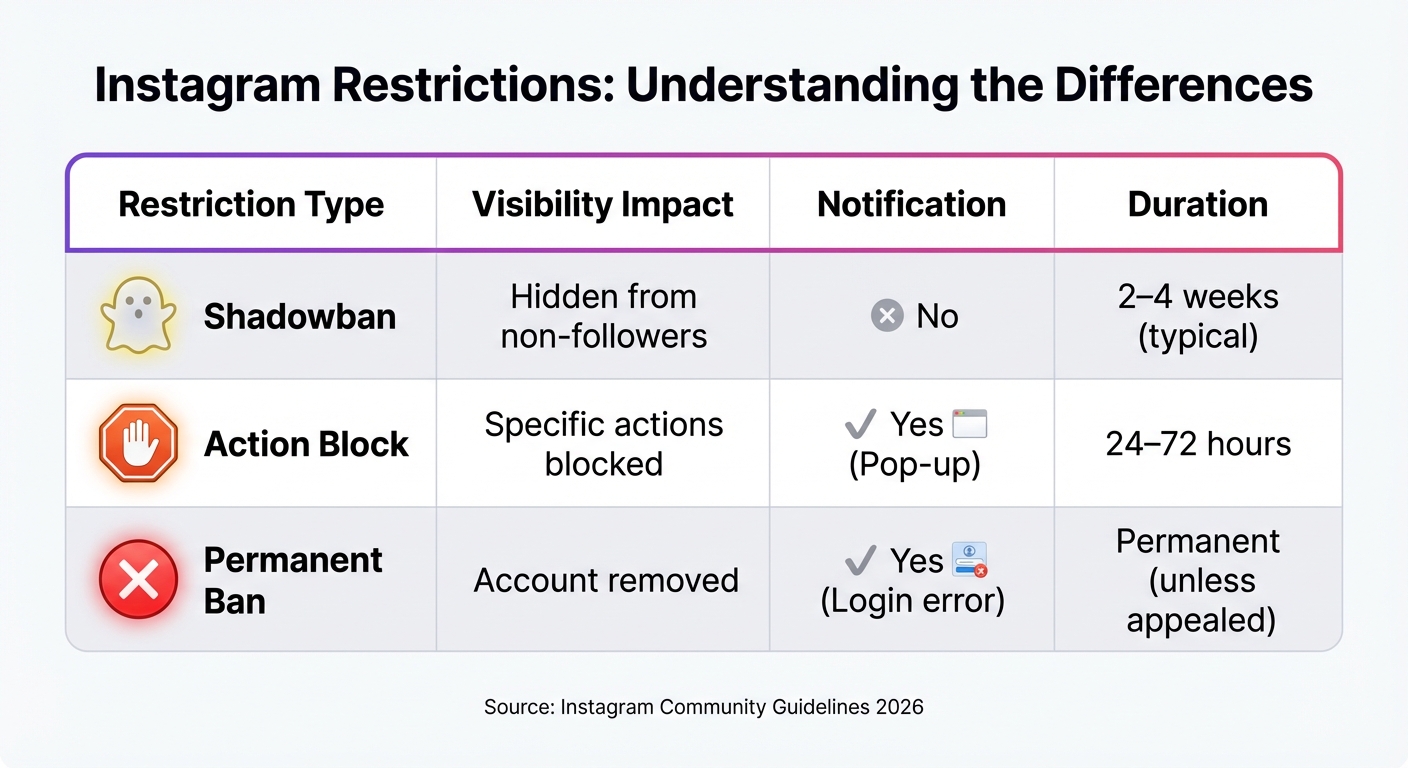
Instagram Shadowban vs Action Block vs Permanent Ban Comparison
An Instagram shadowban is a silent restriction that limits the visibility of your content. While your posts remain accessible to your current followers, they disappear from hashtag searches, the Explore page, and recommendations. The tricky part? Instagram doesn’t notify you when this happens, leaving you unaware that your reach is being throttled. This makes shadowbans distinct from more severe penalties like permanent bans.
Though Instagram avoids using the term "shadowban", it refers to this practice as "reduced visibility." In 2026, Instagram's algorithms flagged content that appeared spam-like, repetitive, or in violation of guidelines. As a result, hashtag reach could drop by up to 99%, and follower growth could decline by as much as 95%. These restrictions typically last 2–4 weeks and are algorithm-driven. Instagram reportedly restricts over 2 million accounts daily. Unlike permanent bans, shadowbans are temporary and do not completely lock you out of your account.
Shadowban vs. Permanent Ban: What's the Difference?
A shadowban is like a soft penalty. Your account remains functional - you can still post, comment, like, and message - but your content becomes invisible to non-followers. There’s no notification, so you might not even notice until you start analyzing your metrics.
On the other hand, a permanent ban completely suspends your account. You’ll receive a login error when trying to access it. Additionally, there’s an action block, which is a temporary restriction that prevents specific activities, such as liking, commenting, or following, for 24–72 hours. This is usually accompanied by a pop-up warning.
| Restriction Type | Visibility Impact | Notification | Duration |
|---|---|---|---|
| Shadowban | Hidden from non-followers | No | 2–4 weeks (typical) |
| Action Block | Specific actions blocked | Yes (Pop-up) | 24–72 hours |
| Permanent Ban | Account removed | Yes (Login error) | Permanent (unless appealed) |
These differences highlight how each restriction affects users and what recovery options might be available.
Why Shadowbanning Matters for Your Account
Shadowbans can have a real impact on your account’s growth and visibility. When your posts stop appearing in discovery areas like hashtags and Explore, you lose access to potential customers, collaborators, and growth opportunities. For many, Instagram serves as a primary way to connect with new audiences, so a shadowban can disrupt that pipeline.
The financial impact is no small matter. For example, a small business owner relying on Instagram to drive traffic to their online store might see a noticeable drop in sales. Likewise, influencers who depend on brand deals may find their value diminished as their reach declines.
It’s not just about numbers, though. A shadowban can also damage trust with your existing followers. A sudden drop in engagement might lead them to think your content quality has slipped or you’ve become less active, even when the algorithm is to blame. Professional accounts can use the "Account Status" feature in settings to check if their content is eligible for recommendations. Additionally, keeping an eye on Instagram Insights - specifically the percentage of accounts reached that aren’t following you - can help identify if a shadowban is in effect. If this metric drops close to zero, it’s a red flag.
Signs Your Instagram Account May Be Shadowbanned
Spotting a shadowban early is crucial since Instagram doesn’t notify users when it happens. Keeping an eye on key performance metrics can help you identify if your account is affected.
Your Posts Don't Appear in Hashtag Searches
One of the most obvious signs of a shadowban is when your posts stop showing up in hashtag search results for users who don’t already follow you. While your followers can still see your content, it becomes invisible to potential new audiences. To test this, try using a unique, low-competition hashtag (e.g., #YourBrandNameTest2026) on a post. After waiting 5–10 minutes for Instagram to index it, search for that hashtag using an account that doesn’t follow you - ideally on a different device. If your post doesn’t appear under the "Recent" tab, it’s a strong indication that your visibility is restricted.
Sudden Drops in Reach and Engagement
A shadowban can cause your reach and engagement to nosedive almost overnight. For example, your hashtag reach may drop from 1,000–5,000 impressions to nearly zero, and new followers could decrease from 50–200 per day to just a handful, even if you use an Instagram growth service to boost your numbers. That’s a staggering 99% reduction. Pay close attention to your non-follower reach - if it typically accounts for 30–50% of your audience but suddenly falls below 5%, it’s a red flag that your content is no longer being discovered. You can also check your account status under Instagram’s settings (Settings > Account > Account Status) for notifications about your content being "not eligible for recommendations".
Lower Visibility on Explore and Stories
Another telltale sign of a shadowban is a sharp decline in visibility on the Explore page. For instance, if Explore typically contributes around 30% of your reach but suddenly drops to 0%, it’s a clear indication of restricted exposure. Similarly, you might notice a significant drop in Story views - sometimes as much as 75%. For example, if your Stories usually get 500–1,000 views but now only receive 100–200, the algorithm may be limiting your reach. These drastic declines in discovery metrics strongly suggest that Instagram is restricting your content’s exposure.
Now, let’s dive into the actions that could be triggering these limitations.
Common Causes of Instagram Shadowbans in 2026
Avoiding shadowbans on Instagram requires understanding what triggers them. The platform's algorithm has become highly adept at spotting behavior that appears spammy, manipulative, or violates its policies. Let’s break down some of the most common reasons accounts face shadowbans in 2026.
Using Automation Tools or Bots
Instagram quickly identifies bot-like activity. If you’re using unauthorized tools to automate actions like following, liking, or commenting, you’re violating Instagram’s terms of service. These apps often perform tasks at speeds no human could match, making them easy for Instagram’s system to flag. Activities like buying fake followers or participating in "engagement pods" (where groups artificially boost each other's metrics) are major red flags for Instagram's AI.
The platform also monitors your device ID and IP address. Running multiple accounts from the same location with repetitive activity can result in all associated accounts being shadowbanned. Instagram restricts over 2 million accounts daily for various violations. To protect your account, regularly review connected apps under Settings > Security > Apps and Websites and revoke access to any tools that aren’t official Meta Partners.
Action limits are strictly enforced. Performing too many actions in a short period - like following 100 accounts in an hour or posting identical comments - can cause Instagram to flag you as a bot. Established accounts should stay under 300 follows/unfollows per day and 1,000 likes per day. New accounts (less than three months old) should be even more cautious, keeping follows under 150 per day and likes under 400 per day.
| Action Type | New Account (<3 months) | Established Account | Per Hour Max |
|---|---|---|---|
| Follows/Unfollows | 100-150/day | 200-300/day | 20-30 |
| Likes | 300-400/day | 700-1,000/day | 50-60 |
| Comments | 50-75/day | 100-200/day | 5-10 |
| DMs | 20-30/day | 50-80/day | 5-8 |
Besides automation, hashtags can also play a big role in triggering shadowbans.
Hashtag Misuse
Using banned or broken hashtags can tank your visibility. Instagram frequently updates its list of banned or restricted hashtags. Some are permanently banned due to their association with spam or inappropriate content, while others are temporarily restricted after spikes in user reports. Including just one banned hashtag in your post can hide it from non-followers, leading to a reach drop of up to 99% in hashtag feeds.
Certain hashtags like #followforfollow, #dm, and #tag4follow are often restricted because they’re tied to low-quality engagement tactics. Before using a hashtag, search for it in the Instagram app. If the "Recent" posts section is hidden or you see a warning message, avoid using it.
Reusing the same hashtags repeatedly is another red flag. If you’re copying and pasting the same set of hashtags on every post, Instagram’s algorithm may interpret this as spammy behavior. Instead, vary your hashtags and tailor them to each post to show authenticity. In the first half of 2025, Meta removed around 10 million fake accounts, many flagged for spamming feeds with repetitive content.
Violating Community Guidelines
Instagram’s AI scans for content that breaches its rules. This includes posts with inappropriate material (like nudity or sexual solicitation), unverified claims (such as misinformation about health), or copyrighted content shared without permission. Even if your post isn’t removed, it may be quietly suppressed from Explore and hashtag searches - a practice Instagram refers to as "reduced visibility" or "recommendation limits".
Borderline content is especially tricky. This refers to posts that don’t outright break rules but are considered sensitive, controversial, or low quality. Examples include graphic images, overly sensationalized captions, or anything that pushes the boundaries of acceptability. Meta’s automated systems handle over 366 million pieces of spam every quarter, often through silent algorithmic suppression rather than outright removal.
If your content receives a high number of reports for spam, harassment, or inappropriate material, Instagram’s algorithm may restrict your reach - even if the post technically complies with guidelines. To check if any of your content has been flagged, go to Settings > Account > Account Status. However, even if your account shows a green checkmark, it doesn’t guarantee you’re free from subtle algorithmic penalties.
How to Recover from a Shadowban
If you’ve confirmed your account has been shadowbanned, acting quickly can make a huge difference. The recovery process can range from a short 48-hour setback to a much longer ordeal lasting up to four weeks. To bounce back, you’ll need to take immediate cleanup steps and adopt long-term behaviors that align with Instagram’s guidelines.
Immediate Actions to Reset Your Account
Pause all activity for 48 to 72 hours. Completely stop posting, commenting, or liking during this time. This break helps reset temporary flags on your account.
Disconnect third-party apps. Head to Settings > Security > Apps and Websites and immediately revoke access to any unauthorized tools, especially automation or growth services.
Remove banned hashtags from recent posts. Check your last 10–30 posts for problematic hashtags. You can identify banned hashtags by searching them on Instagram - if the "Recent" posts section is missing, the hashtag is likely banned. Replace these with safe, relevant ones over time.
Use Instagram’s Account Status tool. Under Settings > Account > Account Status, check if any of your content has been flagged or if your account is restricted. If flagged, archive (don’t delete) the problematic content to address the issue.
Report the problem to Instagram. Go to Settings > Help > Report a Problem and clearly explain your situation. Mention specific symptoms, like your posts not showing up in hashtag searches or a sharp drop in reach. Keep your description factual and concise.
| Recovery Phase | Duration | Key Actions |
|---|---|---|
| Cleanup | Days 1–3 | Pause activity, revoke third-party apps, and remove banned hashtags |
| Rebuilding | Days 4–14 | Post high-quality content, use 5–10 safe hashtags, and engage manually |
| Growth | Week 3+ | Gradually increase activity and monitor Insights for signs of improvement |
Once these steps are complete, gradually return to normal activity to rebuild your account’s reputation.
Behavioral Changes for Long-Term Growth
After resetting your account, it’s crucial to adjust your habits to demonstrate genuine engagement. Start small by performing 10 to 20 daily actions - likes, comments, or follows - and focus on creating high-quality, original content. Posts that encourage saves and shares are especially valuable, as these interactions signal authenticity to Instagram’s algorithm.
Switch up your hashtags. Avoid reusing the same set of hashtags repeatedly. Instead, tailor them to each post and stick to 5–10 relevant, non-banned tags. This shows thoughtful categorization and reduces the risk of appearing spammy.
"If you stay in your brand, you're not going to get shadowbanned... Shadowbans are a way of Instagram telling your account to 'shut up'."
- Carin Bennett, Social Media Expert
By incorporating these behaviors, you can build a stronger, more reliable presence over time.
Tracking Recovery and Getting Help
To evaluate your progress, keep a close eye on your metrics and adapt as needed. Check Instagram Insights daily. Pay special attention to the "Accounts Reached" metric, particularly the visibility from hashtags and the Explore page. These are key indicators of recovery.
Test with a unique hashtag. Create a post using a completely original hashtag (e.g., #YourBrandName012326). After 5–10 minutes, check from an account that doesn’t follow you to see if your post appears in the "Recent" section. If it does, it’s a good sign the shadowban is lifting.
Follow up if visibility doesn’t improve. If your reach hasn’t recovered after 14 days, use the "Report a Problem" feature again to request a manual review. Minor issues are often resolved within 24–48 hours, but automation-related violations may take 2–4 weeks. In rare cases, if your appeals are denied twice, you can escalate the issue to the Oversight Board for an independent review.
How to Avoid Future Shadowbans
If you want to maintain your account's visibility and growth on Instagram, it's crucial to adopt practices that align with the platform's latest guidelines. Here are some practical steps to help you stay on the right side of Instagram's policies.
Use Approved Tools and Avoid Automation
Stick to tools Instagram approves. Use third-party platforms that are officially recognized as Instagram Partners, like Later or SocialRails, for scheduling and analytics. Avoid unauthorized tools, especially those that require your password, as they can lead to immediate restrictions, as mentioned earlier.
Say no to bots and mass-action tools. Instagram's AI is highly effective at spotting unnatural behavior, such as rapid liking or following. Keep your activity within the safe action limits discussed in the earlier section to avoid penalties.
"It's in our interest as a business to ensure that creators are able to reach their audiences and get discovered so they can continue to grow and thrive on Instagram."
- Adam Mosseri, Head of Instagram
Once your tools are in order, the next step is to focus on creating meaningful engagement.
Focus on Real Engagement
Authentic interaction is key to building a strong presence. Quality matters more than quantity. Instead of leaving generic responses like "Nice!" or a string of emojis, take the time to write thoughtful, context-specific comments. Spread out your likes and comments over time to mimic natural activity.
Avoid engagement pods and follow-for-follow schemes. These tactics might seem like a quick fix, but Instagram considers them inauthentic and may restrict your reach. The platform's 2026 algorithm rewards meaningful interactions - such as saves, shares, and detailed comments - over basic likes or views. Focus on cultivating a smaller, genuinely interested audience rather than chasing inflated follower counts.
Use hashtags wisely. Limit yourself to 3–5 relevant hashtags per post and rotate them regularly. Repeating the same block of hashtags across posts can look like automated behavior and get flagged. Before using a hashtag, check its current status on Instagram. Avoid engagement-bait tags like #followforfollow or #tag4like, as these are often linked to spam.
Stay Updated on Instagram Policies
Monitor your Account Status. Make it a habit to check Settings > Account > Account Status monthly. This tool shows if any of your content has been flagged or if your account is ineligible for recommendations. Catching issues early can prevent them from escalating to a shadowban.
Stay current with Instagram's Community Guidelines and audit your hashtags. Policies change often, and what worked last year might now be restricted. Keep an eye on updates, especially around "borderline content" - posts that don’t outright break rules but are deemed low-quality or sensationalized. Instagram's AI now reduces the visibility of such content automatically. Also, hashtags can become banned or "broken" over time. Words like #adulting, #alone, #brain, #dating, and #models are often restricted, so double-check before using them.
Enable two-factor authentication (2FA). Protect your account from hackers by using an authenticator app for 2FA instead of SMS, which is less secure. Compromised accounts are often shadowbanned due to their misuse in scams.
Conclusion
A shadowban can drastically reduce your hashtag reach - by as much as 99% - and make your posts invisible on the Explore page. The warning signs? Posts disappearing from hashtag searches, a sharp drop in engagement, or fewer story views. Spotting these early is crucial.
As of 2026, shadowbans are often triggered by things like using unauthorized automation tools, misusing hashtags, or breaking platform guidelines. To recover, start by taking a short break from posting, remove any flagged or banned hashtags, and disconnect any unauthorized third-party apps. Once you've tackled these immediate issues, it's time to focus on building better habits.
For long-term growth, concentrate on genuine engagement. Encourage meaningful actions like saves and shares, and make it a habit to check your Account Status regularly to stay ahead of potential issues.
FAQs
How can I tell if my Instagram account has been shadowbanned?
If you suspect your Instagram account is shadowbanned, you might notice a sudden drop in engagement - fewer likes, comments, or views on your posts. One telltale sign is that your content no longer appears under the hashtags you’ve used, even for people who don’t follow you. To check, ask someone who doesn’t follow your account to search for your post using a specific hashtag and see if it shows up.
Another method is to use less popular or niche hashtags in a new post and track whether it receives any engagement from non-followers. If your content doesn’t appear, your account might be shadowbanned. This often happens due to violations of Instagram’s community guidelines or overusing the same hashtags repeatedly.
How can I recover from an Instagram shadowban quickly?
If you think your account has been shadowbanned, here are some steps to help you regain visibility:
- Pause your activity: Take a break from posting for 24–48 hours. During this time, steer clear of any third-party tools or automation services that might be linked to your account.
- Check your hashtags: Go through your recent posts and remove any hashtags that could be banned or flagged. Also, try to avoid using the same set of hashtags over and over again.
- Review your content: Look at your posts and delete anything that might go against Instagram's community guidelines, like inappropriate content or posts that feel overly promotional.
- Reach out to Instagram: If you believe the shadowban happened by mistake, use Instagram’s support tools to report the issue and request a review of your account.
Taking these steps can help you work toward restoring your account’s reach and engagement.
What can I do to avoid getting shadowbanned on Instagram?
To keep your Instagram account safe from being shadowbanned, it’s essential to stick to Instagram’s community guidelines and focus on authentic interactions. Avoid using banned hashtags or repeating the same ones too often, as this can trigger Instagram’s algorithm to flag your account. Also, steer clear of spammy actions like excessive liking, generic commenting, or rapidly following and unfollowing users.
Ensure your content aligns with Instagram’s rules, and don’t rely on unauthorized automation tools or bots to grow your account. If you think your account might be facing issues, take a short break (about 24-48 hours) and review your posts and hashtags for anything that might cause problems. Consistently following these steps can help your account stay active and visible without unnecessary restrictions.


