
Want to save Instagram Reels in HD without watermarks? Here’s how you can do it quickly, easily, and safely in 2026:
- Why Download Reels? Save tutorials, recipes, or content ideas for offline use, back up your creations, or study trends.
- What You Need: A reliable downloader that supports 1080p HD quality, removes watermarks, and doesn’t require login credentials.
- Top Tools:
- GramFetchr: Free, browser-based, supports HD downloads with no watermark.
- ReelsVideo: Fast, private, and free with similar features.
- RobinReach: Offers up to 4K resolution and works across platforms.
Key Tip: Always respect copyright rules. Use downloaded Reels for personal use or with permission from creators.
Let’s break down how to use these tools and make the most of your saved Reels.
Key Features to Look for in an Instagram Reels Downloader
Core Features Every Good Downloader Should Have
When it comes to Instagram Reels downloaders, not all tools are created equal. Some critical features can set the best ones apart.
First and foremost, HD quality output is a must. A reliable downloader should support video resolutions up to 1080p Full HD (1920×1080) - the highest resolution Instagram provides for Reels. You can often gauge HD quality by the file size, so keep an eye on that.
Another key aspect is ensuring videos come with no watermark and no re-encoding. The best tools pull videos directly from Instagram's CDN servers without altering the original file.
"Most saving tools in 2026 have a hidden problem: they quietly re-encode your clip before delivering it, shaving resolution or adding artifacts... DownReels skips that step entirely." - DownReels
Privacy is also a crucial consideration. Tools that operate with no login required and use HTTPS encryption are safer for users. You should never need to input your Instagram credentials just to download a public video. If a downloader asks for login details, it’s a major red flag.
Lastly, browser-based access adds convenience. The best downloaders work seamlessly in popular browsers like Chrome, Safari, Firefox, or Edge, eliminating the need for app installations or extensions. They should function across all devices - whether you're on an iPhone, Android, Windows PC, or Mac.
Extra Features Useful for Creators and Marketers
For creators and marketers, additional features can make a big difference:
- Batch downloading saves time by allowing you to queue up multiple Reels for download at once. This is especially helpful for organizing content or conducting research.
- Cross-platform compatibility ensures smooth workflows. Look for tools that maintain the original MP4 (H.264/AAC) format, which is widely supported by editing software.
- Fast processing is another plus. Top-tier tools generate download links in under 3 seconds, letting you grab content quickly and efficiently.
Feature Comparison Table
Here’s a quick breakdown of how different downloader options measure up based on essential features:
| Feature | DownReels / InstaDL | ScreenApp | 4K Stogram |
|---|---|---|---|
| Max Quality | 1080p HD | 1080p HD | 1080p HD |
| Watermark | None | None | Paid only |
| Login Required | No | No | Yes |
| Device Support | All (Browser) | All (Browser) | Desktop only |
| Cost | Free | From $19/mo | $15 one-time |
This comparison highlights the convenience of browser-based, no-login tools, which offer flexibility and ease of use across devices. While desktop apps like 4K Stogram may suit high-volume users, they require installation and restrict usage to a single machine.
Up next, let’s dive into the top tools that combine these features.
sbb-itb-3b12fba
How To Download Instagram Reels Video In 4K Ultra HD (Without Watermark)
Top Tools for Downloading Instagram Reels in HD Without Watermarks
If you're looking for simple, browser-based options to download Instagram Reels in HD without any watermarks, these three tools stand out. They’re easy to use, require no login, and each offers specific advantages depending on your needs.
GramFetchr Instagram Reels Downloader
GramFetchr allows you to grab the original MP4 file directly from Instagram's CDN without re-encoding. It’s not just limited to Reels (up to 90 seconds) - you can also download feed videos (up to 10 minutes) and IGTV content (up to 60 minutes). The process is straightforward: paste the Reel link, hit download, and the file saves to your device in its original quality. Best of all, it’s completely free.
ReelsVideo Instagram Video and Reels Downloader
ReelsVideo is all about speed and privacy. It generates download links in under 3 seconds and doesn’t store your URLs or files on its servers after the download. Videos retain their original bitrate, aspect ratio, and stereo audio, supporting resolutions up to 1080p. Like GramFetchr, this tool is 100% free.
RobinReach Instagram Reel Downloader
RobinReach caters to creators who need the highest possible quality, offering downloads in resolutions up to 4K. It’s compatible across iOS, Android, Windows, and macOS, and doesn’t require any installation. Additionally, RobinReach supports downloads from Facebook Reels, making it a versatile option.
| Tool | Max Quality | Free | Login Required |
|---|---|---|---|
| GramFetchr | 1080p HD | Yes | No |
| ReelsVideo | 1080p HD | Yes | No |
| RobinReach | Up to 4K | Yes | No |
All three tools save files in MP4 format using H.264 video and AAC audio codecs, ensuring compatibility with most editing software.
How to Download Instagram Reels in HD: Step-by-Step Instructions
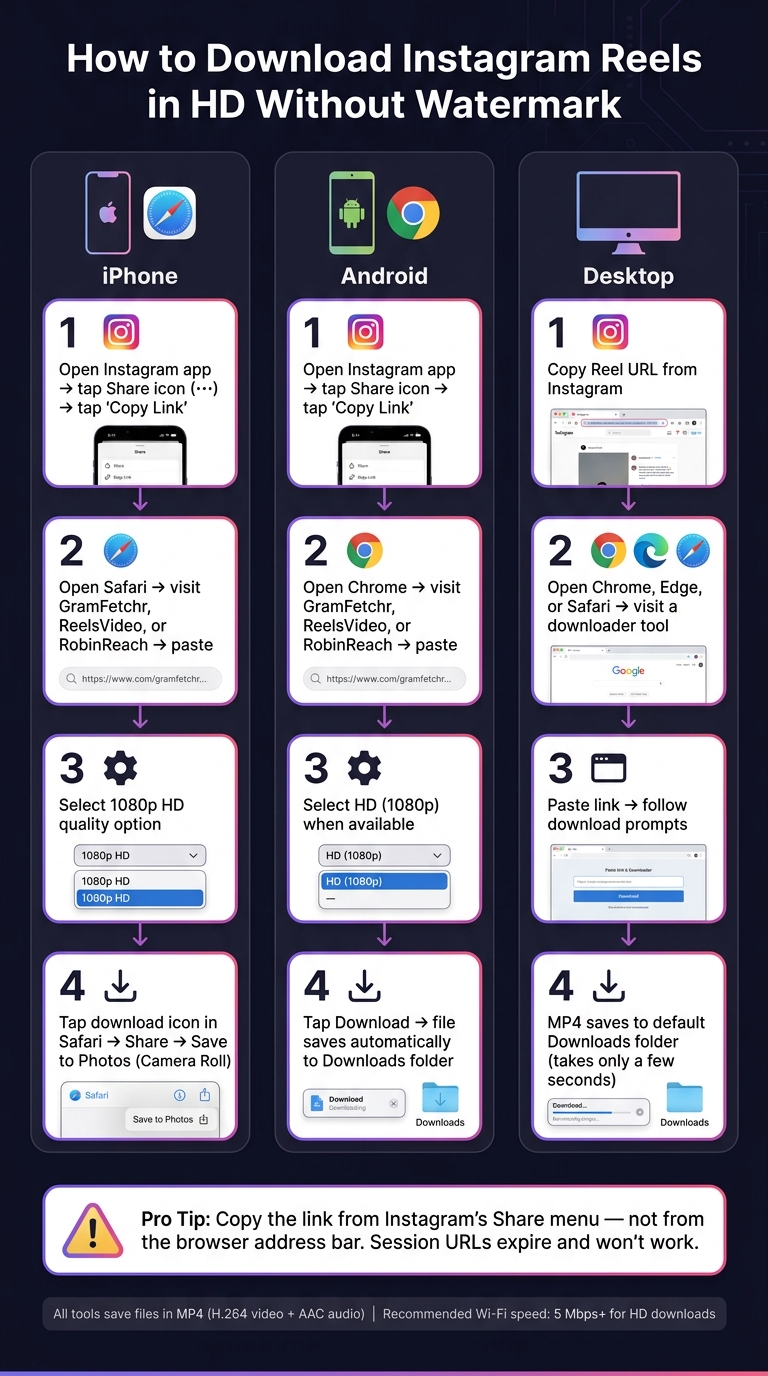
How to Download Instagram Reels in HD Without Watermark (2026)
Instagram's Save button only bookmarks a Reel - it doesn't actually download it as an MP4 file. To save a Reel to your device, you'll need a browser-based tool. The exact steps depend on whether you're using an iPhone, Android device, or desktop.
How to Download Reels on iPhone
Using Safari on an iPhone is ideal because it saves files directly to the Files app, making it easy to transfer videos to your Camera Roll.
- Copy the Link: Open the Instagram app, navigate to the Reel you want, tap the Share icon (or the three-dot menu ···), and select Copy Link.
- Open a Downloader: Visit a site like GramFetchr, ReelsVideo, or RobinReach in Safari. Paste the copied link into the input field and hit Download.
- Choose HD Quality: When prompted, select the 1080p option. Make sure your device has enough storage for high-quality files.
- Save to Photos: After the download is complete, tap the download icon in Safari, then use the Share button to save the video to your Photos app. The Reel will now be in your Camera Roll without a watermark.
If you're having trouble, double-check that you're copying the link from Instagram's Share menu and not from the browser's address bar. Session-specific URLs from browsers often expire and won't work.
How to Download Reels on Android
For Android users, Chrome is the go-to browser for downloading Reels. Here's how:
- Open Chrome and navigate to a downloader like GramFetchr, ReelsVideo, or RobinReach.
- Paste the Reel's link into the search field and select HD (1080p) when available.
- Tap Download. The file will automatically save to your Downloads folder.
"The quality of your download can never exceed the quality of the original upload. If someone uploaded a Reel in 720p, you'll get 720p." - Admin, InstaDL.in
If the download doesn't work, try removing any extra URL parameters (like those starting with a '?') and retry. For better organization, use the Files app to sort downloaded Reels into folders.
How to Download Reels on Desktop
Downloading Reels on a desktop is just as simple. Here's what to do:
- Copy the Reel's URL from Instagram.
- Visit a downloader like GramFetchr, ReelsVideo, or RobinReach using a browser such as Chrome, Edge, or Safari.
- Paste the link and follow the prompts to download the MP4 file. The process usually takes only a few seconds, and the file will save to your default Downloads folder.
After downloading, check the file for audio sync and size to ensure it's not corrupted. For smoother HD downloads, aim for a Wi-Fi speed of at least 5 Mbps.
Once you've saved your Reels in HD, you can easily incorporate them into your content workflow.
Using Downloaded Reels to Support Growth with Outfame
Adding Downloaded Reels to Your Content Workflow
Downloading an HD Reel is just the first step - what you do with it afterward is what truly matters. The best way to maximize its potential? Build a personalized library of Reels categorized by elements like strong hooks, seamless transitions, or compelling storytelling. This way, when it’s time to plan content, you’re not starting from scratch. Instead, you’re working from a curated collection that’s ready to inspire and streamline your creative process.
Since watermark-free, 1080p files can be repurposed across platforms like TikTok and YouTube Shorts without losing quality, you can avoid the reach penalties associated with cross-platform watermarks.
To make your library even more useful, organize it with a spreadsheet that tracks each Reel’s URL, creator, niche, and any notes. This transforms a simple folder of MP4s into a powerful, searchable database.
How Outfame Helps You Grow Your Audience
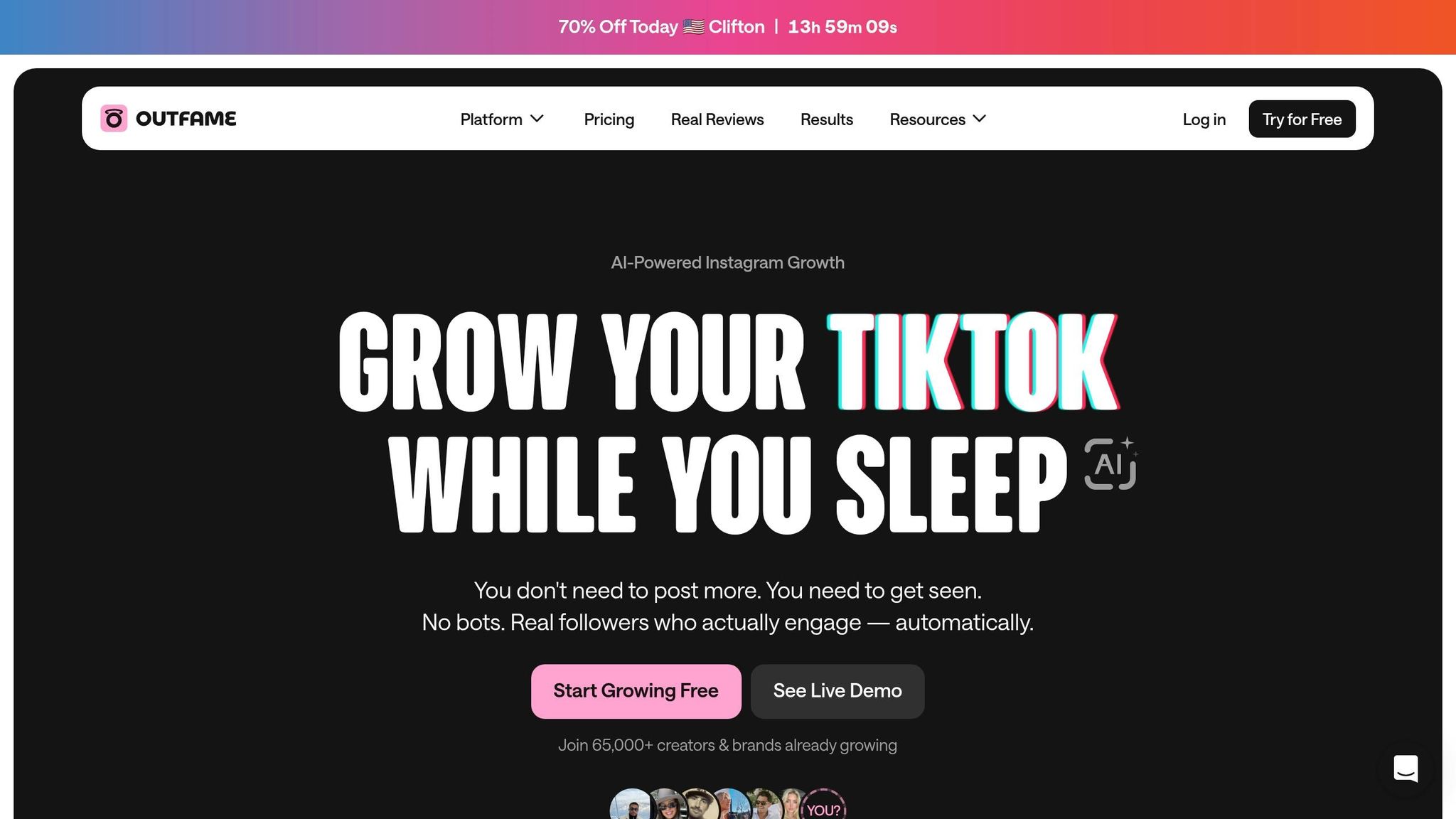
Once your content library is organized, Outfame can help you take things to the next level. Outfame is an AI-powered platform specifically designed to grow audiences on Instagram and TikTok. Its standout feature? Automated audience targeting. Outfame identifies and connects with real users who align with your niche, so you can grow your followers without spending hours on manual outreach.
The platform’s AI Smart Search grants access to a database of over 300 million verified creators across 50+ niches and 195+ countries. This means you’re not guessing what works - you’re analyzing proven strategies in your space. Combine that with Outfame’s real-time analytics, which track engagement metrics like views, likes, and shares, and you’ll make decisions backed by hard data instead of intuition. Plans start at $39/month, and there’s even a free trial if you want to see how it works.
Getting More from Your Content with Outfame Max™
For creators ready to scale their efforts, Outfame Max™ offers tools to amplify results. Building on your collection of HD, watermark-free content, Outfame Max™ identifies which Reels are already gaining traction and helps boost their performance - targeting the right audience while the momentum is still fresh.
While a standard downloader simply provides a file, Outfame Max™ goes further by pinpointing which content deserves your time and budget. Here’s a quick comparison:
| Capability | Standard Downloader | Outfame Max™ |
|---|---|---|
| File quality | HD, no watermark | N/A (separate step) |
| Performance data | None | Real-time analytics |
| Audience targeting | None | AI-powered, niche-specific |
| Content amplification | None | Identifies and scales top Reels |
| Platform coverage | Download only | Instagram & TikTok growth |
For creators already repurposing content across platforms, Outfame Max™ bridges the gap between consistent posting and actual audience growth, helping you turn your content library into measurable success.
Conclusion
Once you've followed the steps outlined earlier, the next move is using these tools to drive your growth. Downloading HD, watermark-free Instagram Reels gives you polished, professional-quality files that can be repurposed, archived, or used as swipe files.
Tools like GramFetchr, ReelsVideo, and RobinReach make it easy to grab 1080p MP4 files with audio intact. Each one delivers watermark-free downloads in seconds, so the best option depends on how it fits into your workflow.
But downloading is just the beginning. Once you have high-quality Reels, you can take things further by leveraging platforms like Outfame. Their real-time analytics help you connect your content with niche-specific audiences on Instagram and TikTok, ensuring your efforts reach the right people.
For those looking to step up their game, advanced tools can turn your content library into a growth powerhouse. For example, Outfame Max™ pinpoints content that's already performing well and helps you amplify it at the perfect moment. Plans start at $39/month, and they even offer a free trial so you can explore its features before committing.
In short, downloading is just the groundwork. Pairing those assets with a smart strategy is where the real growth happens.
FAQs
Is it legal to download Instagram Reels?
Downloading Instagram Reels for personal use - like saving for offline viewing or creating a backup - is typically allowed if you have the creator's permission or if the content is publicly accessible. That said, downloading copyrighted material without proper authorization could breach intellectual property laws. Always make sure to honor and respect the rights of the original creators.
Why isn’t my Reel downloading in 1080p HD?
If your Reel isn’t downloading in 1080p HD, it could be due to video compression by the platform or the platform not supporting that resolution. Another factor could be that the original Reel was uploaded in a lower quality, making it impossible to download at a higher resolution. To get the best results, make sure the tool you’re using supports Full HD downloads.
What should I do if the Reel link won’t download?
If you're having trouble downloading a Reel link, start by double-checking the URL. Make sure it's correct, complete, and publicly accessible. Sometimes, a missing character or an incorrect copy can cause issues. Also, confirm that the Reel is set to public or that you have permission to download it.
If the link seems fine but it still won't work, check your internet connection - it might be the culprit. Temporary server problems or technical glitches on Instagram's end could also be to blame. In such cases, waiting a bit and trying again later might do the trick. Patience can go a long way when dealing with these hiccups!


